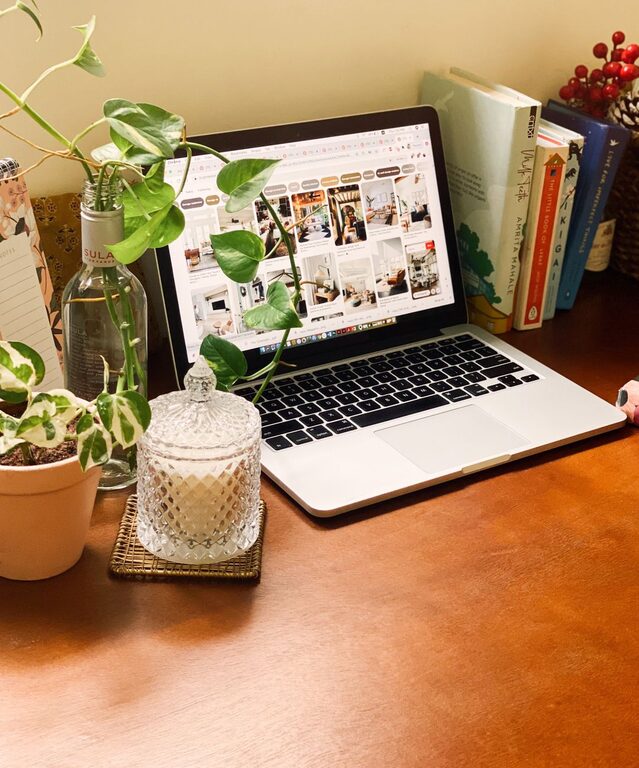

Creating a cozy and inviting home office can make your workdays more enjoyable and productive. Whether you’re working remotely, freelancing, or just need a dedicated spot for projects, having a space that feels welcoming can truly enhance your focus and motivation. In this guide, we’ll walk through practical tips to design a comfortable workspace tailored to your needs.
Choose the Right Location
The first step in creating a cozy home office is selecting the best spot. Consider these factors:
– Natural Light: Choose a space with plenty of natural light to help keep your energy levels up and reduce eye strain.
– Quiet Environment: Look for a quiet corner or room where you can work with minimal distractions.
– Space: Ensure there’s enough room for a desk, chair, and some storage without feeling cramped.
If you don’t have a separate room, carving out a nook or corner in your living space can still work well.
Invest in Comfortable Furniture
Comfort is key in designing a workspace where you want to spend time:
– Ergonomic Chair: A supportive chair with adjustable features protects your posture during long hours.
– Desk Space: Pick a desk that suits your work style—whether it’s a compact table or a larger desk that can hold multiple devices.
– Footrest and Accessories: Small additions like a footrest or keyboard tray can improve comfort.
Prioritize comfort to avoid fatigue and maintain productivity.
Use Warm, Soothing Colors
Color influences mood and focus. For a cozy vibe, consider:
– Soft Neutrals: Light beige, cream, or soft gray can create a calm backdrop.
– Warm Accents: Add touches of warm colors like terracotta, mustard yellow, or muted orange to energize without overwhelming.
– Personal Preference: Choose colors that make you feel relaxed and happy.
You can paint walls, add curtains, or simply decorate with colorful accessories.
Incorporate Soft Textures
Textiles add warmth and softness, making your office feel inviting:
– Rugs: A plush area rug can define the space and add comfort underfoot.
– Throw Blankets: Keep a cozy throw on hand for chilly days.
– Pillows: Use cushions on your chair or nearby seating to soften hard surfaces.
These elements make your workspace feel more like a personal retreat.
Organize for Clarity and Calm
A clutter-free space helps clear the mind:
– Storage Solutions: Use shelves, drawers, or baskets to keep supplies tidy and within reach.
– Desk Organization: Desk organizers and cable management tools keep your surface neat.
– Daily Clean-Up: Spend a few minutes at the end of each day sorting papers and putting things away.
Maintaining order reduces stress and helps you focus better.
Add Personal Touches
Your workspace should feel uniquely yours:
– Art and Photos: Hang prints or display pictures that inspire or relax you.
– Plants: Indoor plants bring life to your office and can improve air quality.
– Favorite Items: Include items like a special mug, a lamp, or decorative pieces that make the space enjoyable.
Personalizing your office makes it more inviting and motivates you to spend time there.
Optimize Lighting
Proper lighting is essential for comfort and productivity:
– Natural Light First: Position your desk near a window if possible.
– Task Lighting: Use adjustable desk lamps for focused work.
– Ambient Lighting: Soft, warm overhead lighting reduces eye strain during evening hours.
The right lighting balance creates a welcoming and practical workspace.
Consider Sound and Scents
A pleasant sensory environment can enhance your focus:
– Sound: Use noise-canceling headphones, a white noise machine, or soft background music to minimize distractions.
– Scents: Aromatherapy with essential oils or scented candles (safely used) can make your office feel relaxing.
These details contribute to the overall coziness of your space.
Keep Technology in Check
Make sure your technology supports your work without causing frustration:
– Efficient Equipment: Use reliable computers, printers, and chargers.
– Cable Management: Hide wires with clips or under-desk trays to keep your desk tidy.
– Ergonomic Setup: Position monitors at eye level and keyboards at a comfortable height.
A tech setup that is both functional and organized reduces distractions.
Maintain Flexibility
Your needs may change over time, so keep your office adaptable:
– Multi-Functional Furniture: Consider desks with adjustable heights or modular pieces.
– Extra Seating: Have chairs or floor cushions available for meetings or brainstorming.
– Clear Surfaces: Leave space to spread out materials when needed.
An adaptable space can accommodate different work styles and tasks.
—
By thoughtfully designing your home office with these tips, you can create a cozy and inviting environment that encourages productivity and well-being. Remember, your workspace should reflect your personal style while supporting your daily routine. A small investment in comfort and aesthetics can make a big difference in how much you enjoy your work-from-home experience.
About the Author